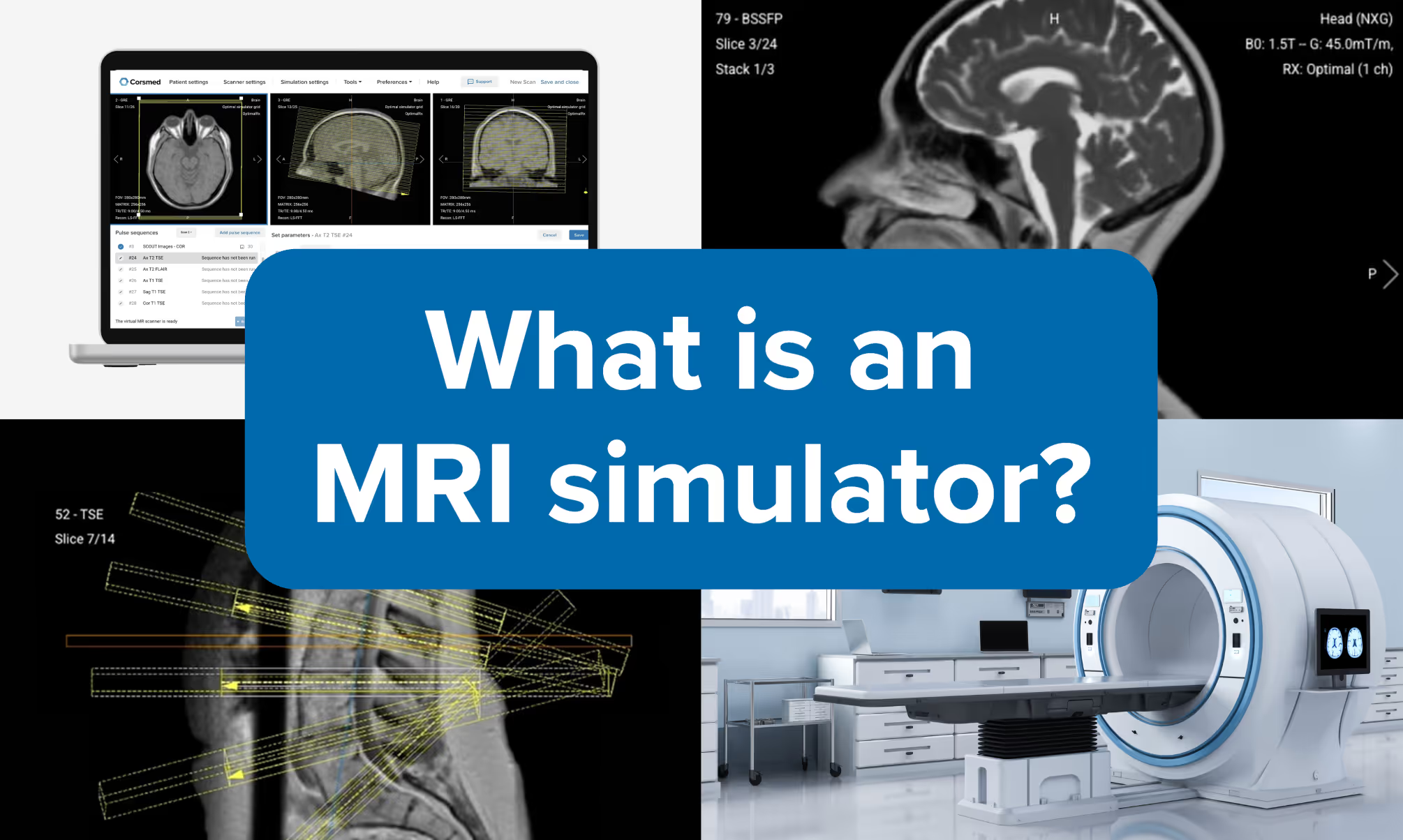
Most MRI simulators are digital platforms that recreate MRI scanner operation on a computer, no physical scanner needed.
Clinical-grade simulation is key to solving the MRI training crisis: The U.S. will face a shortage of 12,200 MRI technologists by 2032, due largely to lack of scanner access. Simulators can help, if they can accurately mirror real scanners.
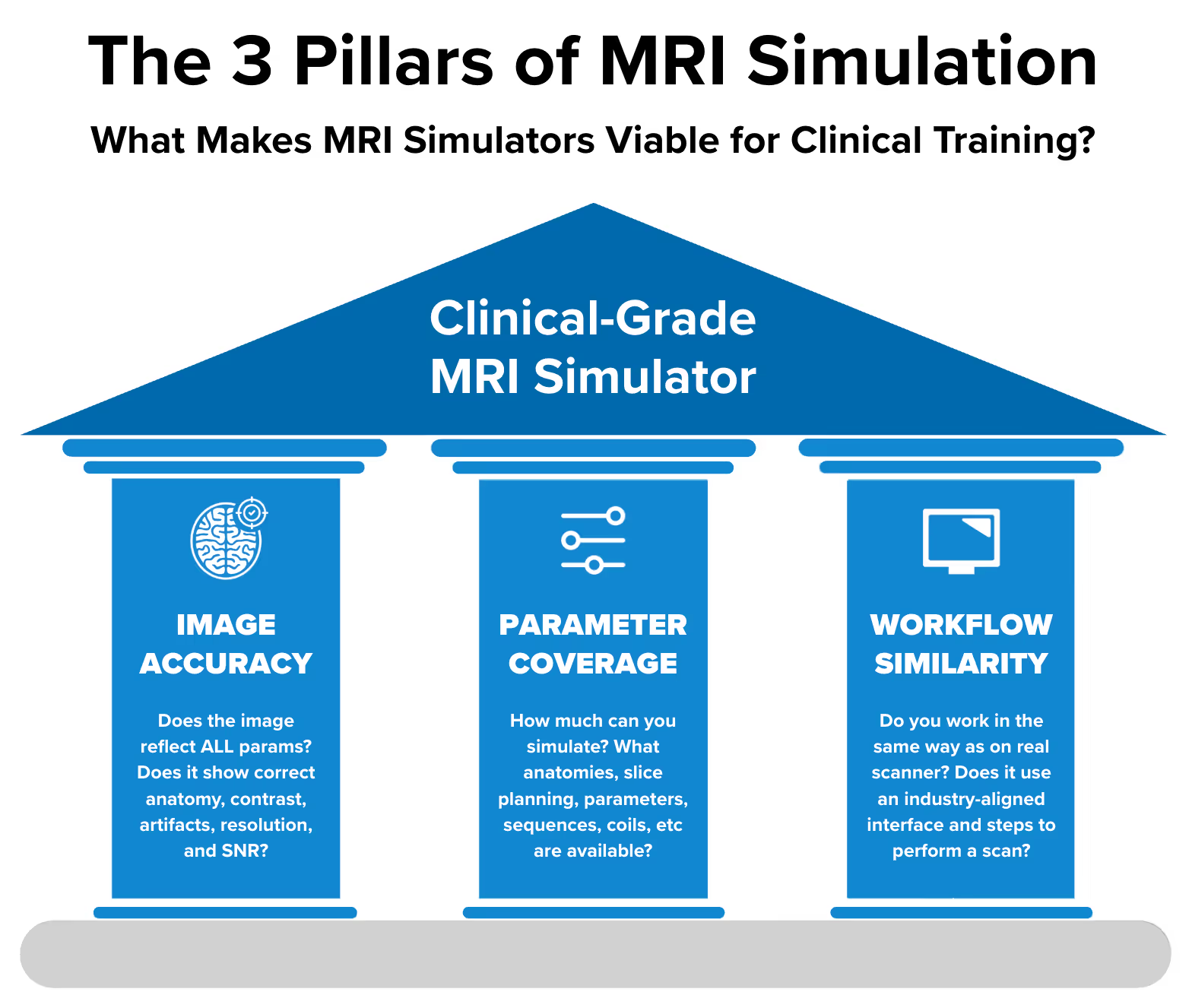
Three factors determine if an MRI simulator is fit for clinical practice:
Image accuracy
Parameter coverage
Workflow similarity
Only Corsmed’s MRI simulator currently meets all three factors for clinical practice.
Four other types of simulators exist – research engines, formula-based, geometry, and console simulators – but all fall short on one or more factors.
Leading institutions use Corsmed: Universities and hospitals worldwide have adopted MRI simulators for training.
Intro – Why MRI training needs simulation
Imagine if pilots had to learn to fly by using real airplanes.
The obvious problems would be:
Very little time to practice: Aircraft are needed for paying passengers, leaving minimal training opportunities
No safe learning environment: Mistakes during training could have serious consequences for safety
Disrupted operations: Training would interfere with normal flight schedules and revenue
That's why pilots instead train with flight simulators.
This same training problem exists for MRI radiographers and technologists who operate MRI scanners.
Like airplanes, MRI scanners are large, costly, and complex equipment that require extensive training to master, and mistakes can have significant consequences.
That's why MRI simulators are needed.
MRI simulators are digital platforms that recreate the experience of operating a real MRI scanner. They let you practice MRI scanning on your computer, no physical scanner or patients needed.
This guide covers everything you need to know about MRI simulators: why they're needed for modern healthcare education, the different types available, how each works, and how to choose the right simulator for your specific needs.
How bad is the MRI training crisis?
The global healthcare system faces a critical shortage of qualified MRI technologists.
In the United States alone, we need to train 26,200 new MRI technologists by 2032, yet only 2,000 pass their certification each year (1) (2). The UK faces similar challenges, needing 9,900 new radiographers by 2030 while 363,600 patients waited over 6 weeks for MRI scans last year. (3) (4)
The core problem is scanner access.
MRI students need between 1,000 to 2,500 hours of hands-on practice before they're ready for independent clinical work. But hospitals can't afford to block scanner time for training when each hour represents $500-2,000 in lost patient revenue. (5) (6) (7)
“
"Our students were struggling to learn MRI physics. It's hard to teach MRI parameters without showing them in action."
This creates an impossible situation. Students need extensive practice to become competent, but scanners must prioritize patient care. Clinical departments often refuse student placements entirely, leaving programs scrambling for alternatives.
“
"It's very difficult to secure clinical placement for students.
Some departments simply won't accept students, so we must find alternatives to give them the practice they need."
Digital MRI simulators solve this problem by providing unlimited practice without requiring any physical scanner time. Students train on their laptops anywhere, anytime. They get the repetition needed to master complex protocols.
What is a digital MRI simulator?
A digital MRI simulator is a software-based platform that recreates the experience of operating a real MRI scanner. You practice MRI scanning on your computer, no physical scanner needed.
How they work
There are many different types of MRI simulators, which we'll cover in detail later. But an ideal MRI simulator lets you practice exactly as you would on a real scanner.
That means you'd follow this workflow:
First, you log in through your web browser, or downloaded app, and see an interface that looks like a scanner console. From there, you:
Select a patient from the digital patient library
Pick scanner hardware settings like magnetic field strength, coils, and more.
Choose pulse sequences (T1, T2, FLAIR, DWI, etc.)
Position slices by adjusting angulation, thickness, and field of view with your mouse
Adjust parameters like TE, TR, flip angle, matrix size, and more
Run the scan
The simulator then produces a DICOM image that matches exactly what a real scanner would generate from the same inputs.
The simulator then calculates what the MRI image would look like based on your inputs.
A good simulator also lets you review the images in a built-in DICOM viewer, adjust windowing, measure structures, and export files.
Who uses digital MRI simulators
Digital MRI simulators have many use cases. Some include:
MRI students learning the fundamentals and preparing for certification exams.
Technologists/radiographers onboarding to new roles, up-skilling on advanced protocols, and cross-training from other imaging modalities.
Teachers demonstrating MR physics and assigning scan exercises as homework.
Program directors designing courses and assessing competency.
Clinical instructors for onboarding and teaching advanced techniques.
They’re deployed in universities, colleges, hospitals, imaging centers, and other settings worldwide. Individuals also use them for self-paced practice at home.
Note: Other things also called "MRI simulators"
The term "MRI simulator" is sometimes used for other tools that serve different purposes:
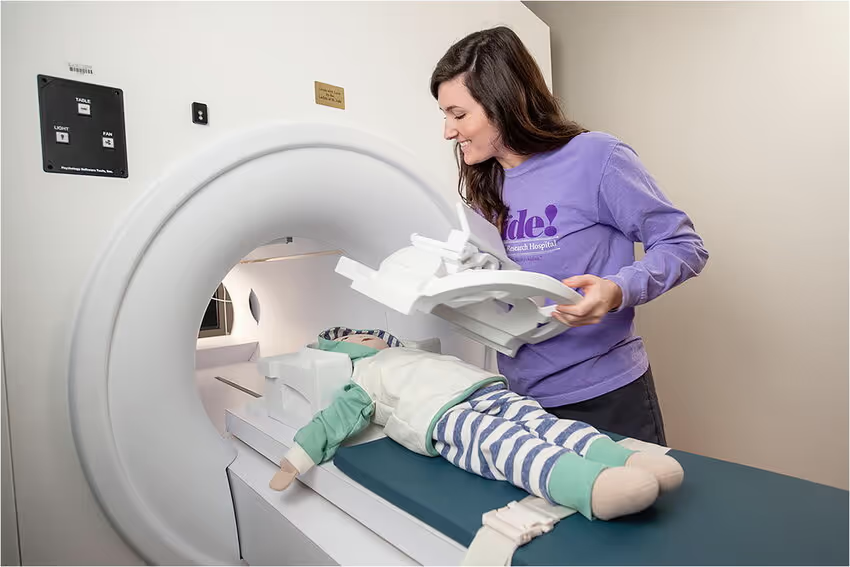
Physical mock scanners: Full-size plastic replicas used to train children and claustrophobic patients before their real scan (Encore, Vera, KittenScanner).
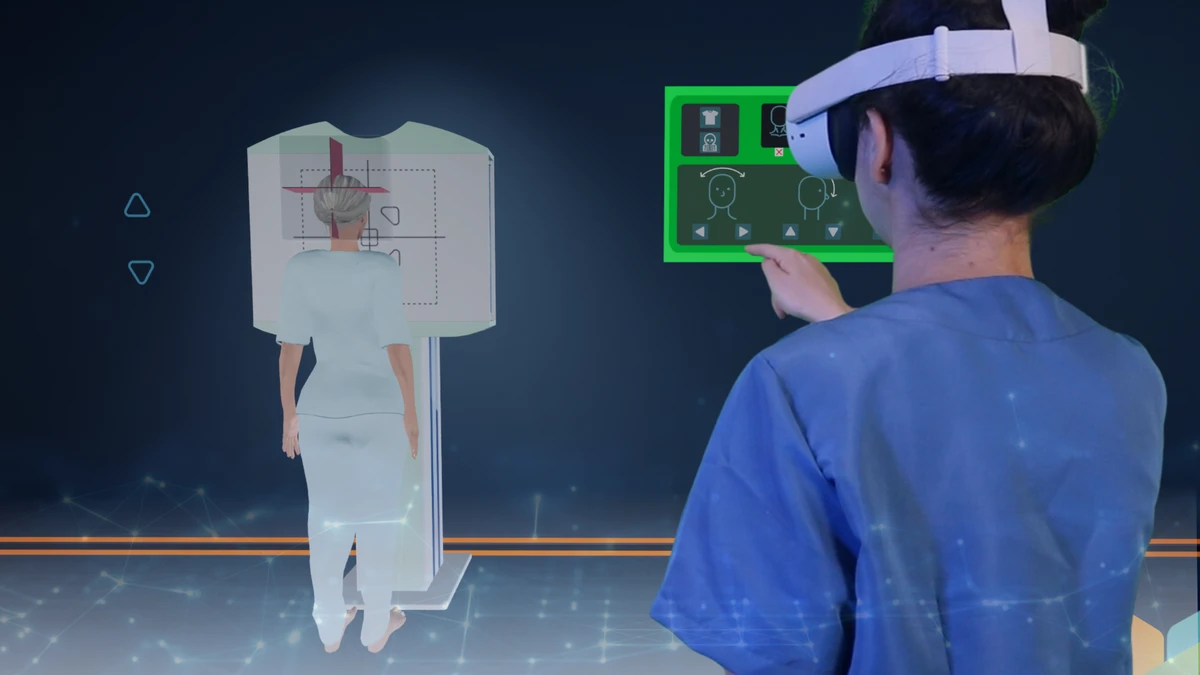
VR mock scanners: The virtual version of a physical mock scanner. They help operators practice the physical workflow and patients prepare for their scan. (Stanford MRI Simulator on Meta Quest, DoReality, Get Well Pals).
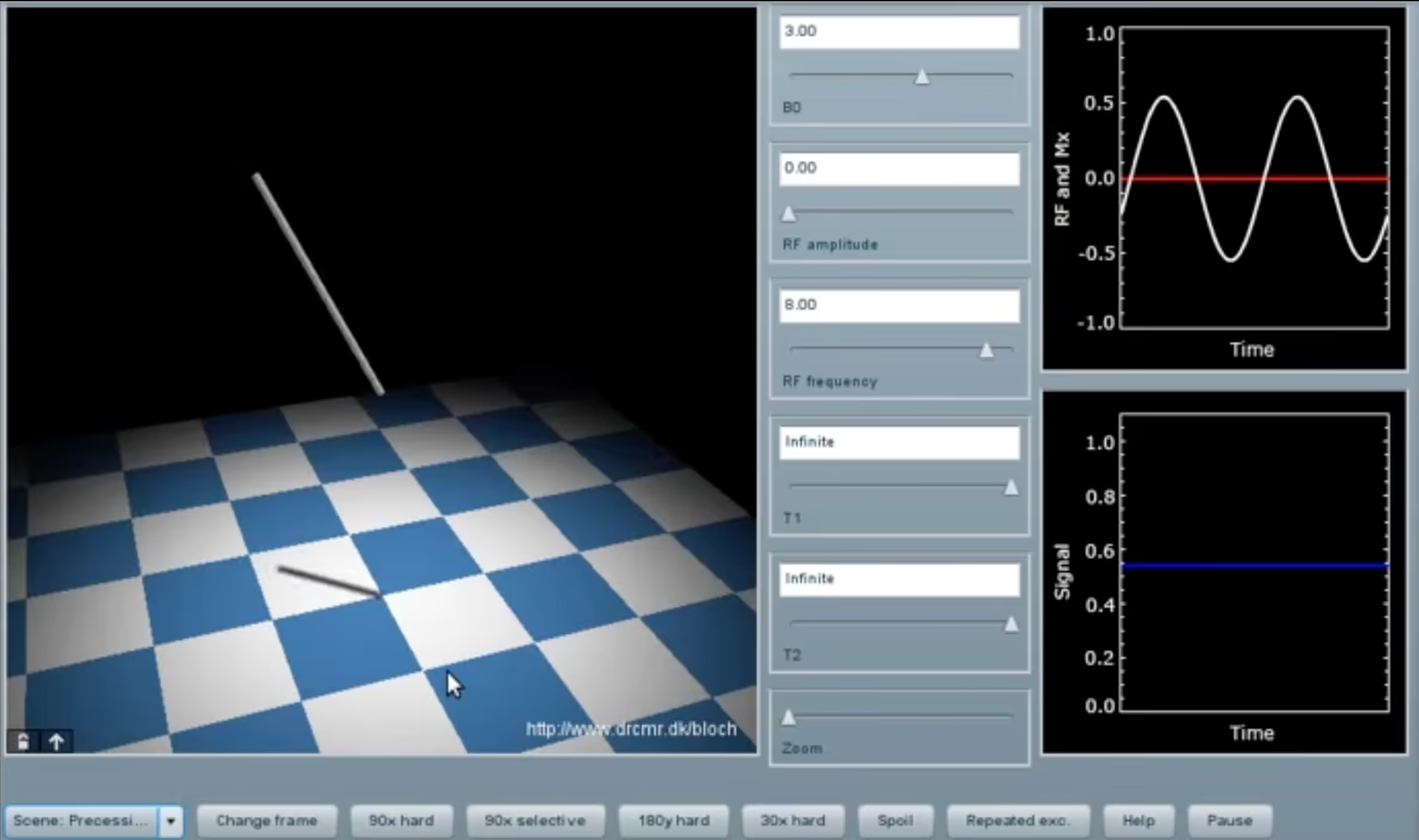
Pulse simulators: Research tools that model proton spin physics using Bloch equations (DRCMR Bloch Simulator, SpinBench, SpinDrops).
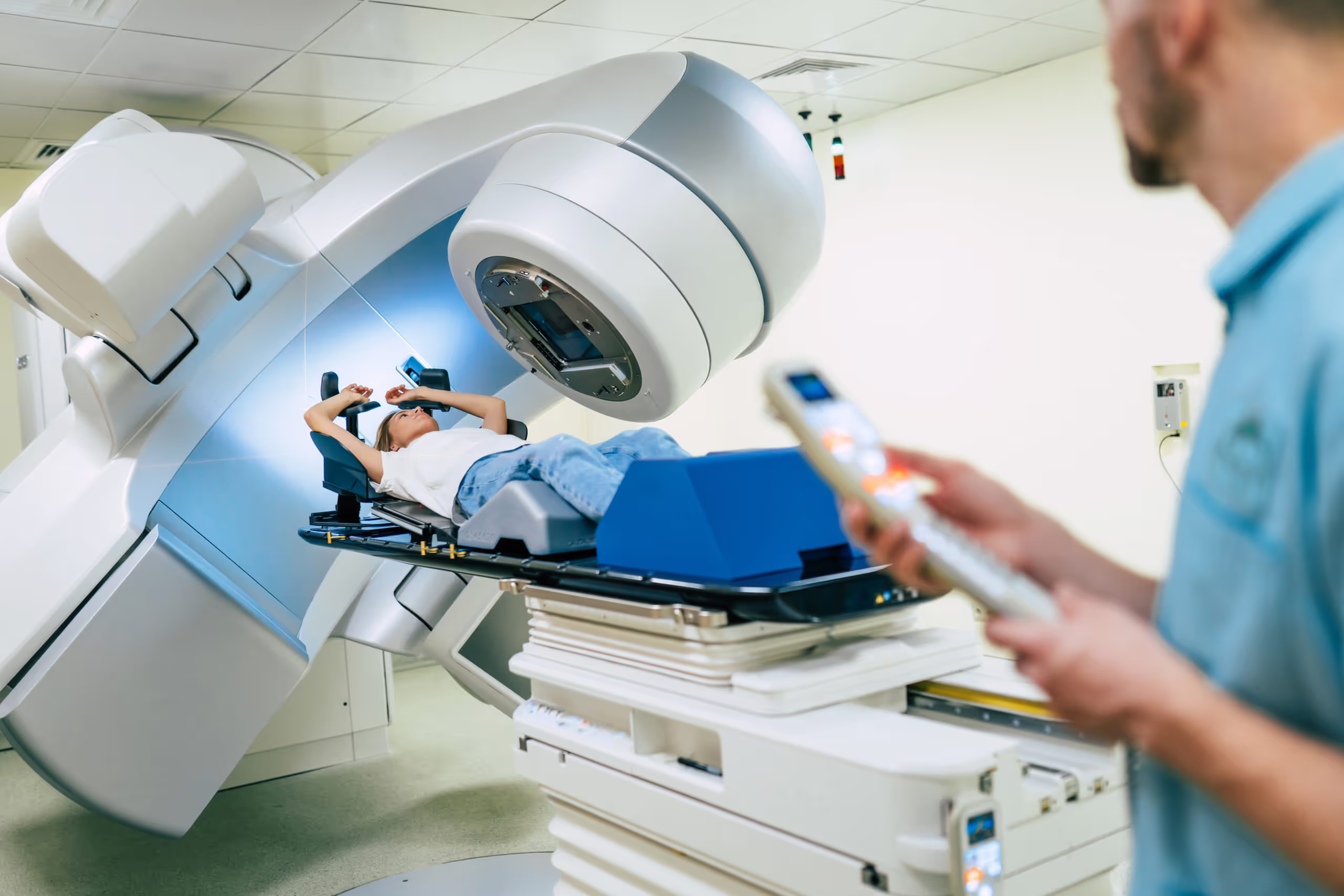
MR-guided radiotherapy: Real MRI scanners adapted for cancer treatment planning (MR-Sim, MR-Linac). They’re called "simulators" because they simulate cancer treatment by producing MR images to guide the treatment.
This article focuses exclusively on digital MRI simulators for clinical education and training, since this is the most common tool used to prepare new MRI radiographers.
What makes an MRI simulator viable for clinical training?
For simulator-based training to be viable, it has to be translatable to real clinical work. Meaning that the skills one learns on the simulator can be applied to scanning real patients with real MRI equipment.
To be translatable to real life – that is, deliver “clinical-grade” practice – an MRI simulator must achieve sufficient performance along 3 key dimensions:
Image Accuracy: Do you get the same image a real scanner would have produced?
Parameter Coverage: How many different clinical scenarios can you simulate?
Workflow Similarity: Do you perform scans in the same way as on real scanners?
Let's go through each of these three factors.
Factor 1: Image accuracy Does the image change as on a real scanner?
Image accuracy measures whether the simulator creates images that correctly reflect all your inputs: anatomy, slice planning, hardware, pulse sequence, and parameters.
This means the image changes as it would on a real scanner, with all expected effects (contrast, artifacts, SNR, resolution, etc) when you change the parameters.
Requirements for clinical training
Regardless of what technology is used, a clinical-grade simulator must ensure that all inputs are reflected in the image, showing correct:
Slice planning: Exact angle, slice, and anatomy.
Contrast: Correct contrast weightings, including washout effects.
Artifacts: All artifacts appear as on a real scan, including artifacts related to the patient, tissue interfaces, hardware, sampling, image reconstruction, or sequence technique.
Resolution (voxel size): Accurate resolution, including slice thickness and partial volume effects.
Signal-to-noise ratio (SNR): Accurate representation of SNR, with the correct amount of noise in the right places.
Acquisition time: While the simulator should be as fast as possible, you need to get accurate information about how long the scan would have taken in real life.
Commonly used technologies:
To ensure accuracy, most clinical-grade simulators rely on two technologies:
Digital 3D patient models, with voxels (3D pixels) of 1 mm³ or smaller:
Like images are constructed from thousands of pixels, we can create a 3D patient using millions of voxels. Each voxel is assigned digital tissue properties that mimic real tissue's magnetic behavior (T1, T2 relaxation times, proton density).
The 1 mm³ voxel requirement comes from the Nyquist sampling theorem. To clearly resolve a structure, voxel size must be half the structure’s size or smaller. The smallest structures (like valve details at 2 mm or MS plaques at 3 mm) require 1 mm voxels for proper detection.
Bloch equations, to simulate proton spins:
Bloch equations are mathematical formulas that simulate how protons respond to magnetic fields and RF energy, including excitation, spatial encoding, and signal emission. This is exactly how real MRI scanners generate images: by using proton behavior.
Factor 2: Parameter coverage How many clinical scenarios can you simulate?
Parameter coverage measures the range of clinical scenarios available.
Essentially, all the different things you can change and edit about the simulated exam.
With “parameter”, we are not just referring to sequence parameters, but to all factors that influence the image: anatomy, pathologies, scanner hardware, pulse sequence, slice planning, sequence parameters, etc.
Parameters only matter if they change the image
It’s not enough for a parameter to exist in the interface. It must also change the image when you adjust it.
Some simulators do display extensive parameter lists: TR, TE, flip angle, bandwidth, matrix size, parallel imaging factors, etc. But many of these are dummy parameters. You can adjust them all you want, but the image stays the same.
This is similar to a car without an engine. The gas pedal and gearshift might be installed in the dashboard, but they don't do anything. The car's inner workings can't respond to those inputs.
The simulator’s ability to handle parameters therefore sets a “ceiling” for Parameter Coverage. The inner ability must exist before you can add more parameters to the interface.
Requirements for clinical training
To be viable for clinical training, a simulator must cover at least these parameters:
Body parts and pathologies
Head and neck: Brain (routine, tumor, MS), pituitary gland, orbits, IAM/IAC, carotids
Spine: Cervical, thoracic, lumbar, sacrum, and coccyx
Factor 3: Workflow similarity Do you scan in the same way as on real scanners?
Workflow similarity measures whether the simulator replicates the actual workflow and interface of clinical scanners. Users should interact with the simulator the same way they would with real equipment.
Requirements for clinical training
To be viable for clinical training, a simulator must deliver:
Interface follows industry standards used by real scanners
Allow slice planning with your mouse, similar to real MRI consoles
No code required to perform scans
Image accuracy × parameter coverage ⇒ MRI mastery
What matters more in an MRI simulator to achieve mastery?
Perfect image accuracy?
Having every parameter available?
You actually need both. One has no value without the other.
Full accuracy but no coverage → No training value
Imagine a simulator with perfect image accuracy. Every parameter change produces exactly what a real scanner would create. The MR physics are modeled perfectly, artifacts appear correctly, SNR behaves realistically.
But you can only adjust one parameter: Echo Time (TE). That's it. Nothing else.
What's the training value? Basically zero.
Full coverage but no accuracy → No training value
Now flip it around.
Imagine a simulator with 100 adjustable parameters. Every setting a real scanner has: TE, TR, flip angle, matrix, bandwidth, fat suppression, parallel imaging – all of it.
But when you change TE from 20ms to 80ms, the contrast stays the same. When you change slice angulation, you still see the same slice. When you reduce the matrix, resolution doesn't change.
What's the value of this simulator? Also basically zero.
It’s the multiplied value that matters
Without Parameter Coverage, Image Accuracy is worthless:
1 parameter × 100% image accuracy = almost 0% useful training
Like a car with only a steering wheel. Perfectly functional, but you can't accelerate, brake, or shift gears
Without Image Accuracy, Parameter Coverage is also worthless:
100 parameters × 0% image accuracy = almost 0% useful training
Like a mock car dashboard with all the buttons and switches, but none of them do anything
You need high scores on BOTH dimensions, not just one.
What clinical-grade MRI simulators exist today?
Based on the criteria established in this guide, Corsmed is the only option that meets all three requirements as of 2026.
Why no other clinical-grade simulators? Creating accurate MRI simulation is really hard. It requires simulating millions of proton spins, across millions of voxels, for every millisecond of scan time.
This is hard to do accurately for just one clinical case, e.g. an axial T2 FLAIR brain.
It’s extremely difficult to do it across thousands of cases, each with different anatomies, slice planning, pulse sequences, parameters, etc.
It’s nearly impossible to do this at scale for thousands of users, while ensuring a fast simulation experience.
Corsmed’s story behind this is more than 12 years long, based on research started in 2014.
Here's how Corsmed performs on each of the 3 factors:
Corsmed's image accuracy
Corsmed creates images from scratch using the same physics process as real scanners.
This works through three advanced technologies:
Digital 3D patient models: Millions of sub-millimeter voxels (3D pixels) painted with "digital tissues" that mimic real tissue's magnetic properties
Bloch equations: Simulate millions of proton spins within each voxel for every time step, modeling how protons respond to magnetic fields and RF pulses
Massively parallel GPU processing: One advanced pulse sequence requires compute power equivalent to navigating 160 SpaceX Falcon 9 rocket launches simultaneously
The simulator computes MR signal evolution, acquires k-space data, and reconstructs DICOM images. Every input is reflected accurately: anatomy, slice planning, resolution, SNR, scan time, contrast, SAR, and 20+ artifacts.
When you adjust parameters on Corsmed, the image changes just like on a real scanner.
This image accuracy is often cited by current users as the deciding factor for why they chose Corsmed.
“
"If you change the parameters on most MRI simulators, the image is still the same.
Corsmed's simulator actually changes the image correctly when you change the parameters."
“
"When I first saw Corsmed, I knew this was the solution we had been looking for. The image changes as you adjust parameters.
Other softwares let you change parameters, but the images don't update to match."
“
"With Corsmed, you get exactly what you've programmed—down to the smallest pixel.
This is different from other simulators where you get the same images regardless of your inputs.”
Corsmed uses a vendor-agnostic interface that mirrors the industry standards that all MRI scanner providers share in common, including GE, Siemens, Philips, and others.
You configure hardware, set up patients, adjust slice angulation with your mouse, and fine-tune protocols and parameters. All interactions work exactly as they would on a real scanner.
The platform runs entirely online with no downloads or installations. It works on any computer with internet access.
Recognition and adoption
The American Registry of Magnetic Resonance Imaging Technologists (ARMRIT) has approved training on Corsmed's MRI simulator as part of required clinical hours. Students can now complete up to 250 of their required 1,000 hours using the simulator.
Leading universities and hospitals worldwide use Corsmed for training, including City St George's University of London, Indiana University, Lund University, British Columbia Institute of Technology, University College London Hospitals, and The Christie NHS Foundation Trust.
Non-clinical-grade MRI simulators: The 4 categories
Four other types of simulators exist but fall short on one or more of the three clinical-grade factors.
1. Research engines
These simulators simulate underlying physics using Bloch equations to model proton behavior. However, they are not clinical grade because they:
Lack parameter coverage: Often just a few parameters, pulse sequences, and anatomies.
Lack workflow similarity: Most research engines require code like Python, C++, Julia, or MATLAB, and special GPU hardware. You get no industry-standard scanner interface.
How they work
Research engines also use Bloch equations to model how protons behave under magnetic fields and RF pulses. Often, they utilize CPU and GPU parallelization for speed.
However, they typically only consider some parameters, such as TR, TE, and flip angle. They rarely process factors like k-space trajectories, gradient performance, coil sensitivities, and other complex parameters that real scanners handle. (Unless extended with custom code).
Users must often write code to set up simulations, define sequences, and specify phantoms. Some require MATLAB licenses to operate. Users must often also bring and host their own hardware.
JEMRIS – Used through MATLAB interface
Clinical-grade score
Image Accuracy: Medium (Potentially High)
The images are accurate for the parameters they can handle. Studies show mean absolute differences below 0.1% compared to reference simulators like JEMRIS.
The limitation is not accuracy but scope; they simply don't process enough parameters to create realistic clinical images.
Some engines can be programmed to extend their functionality, although this requires writing custom code.
Parameter Coverage: Low (Potentially High)
Research engines typically offer limited anatomies, pulse sequences, and parameters. Most also don’t allow slice planning.
However, if extended with custom code, their parameter coverage could be good.
Workflow Similarity: Very Poor
All research engines require programming knowledge. Users must write code in languages like Julia, Python, C++, or MATLAB to run pulses.
Few industry-standard scanner interfaces exist.
Simulators in this category
coreMRI: A cloud-based MRI simulation platform built on GPU infrastructure. Solves Bloch equations to simulate the full MRI process.
MRISIMUL: A GPU-accelerated MRI physics simulator based on Bloch equations. Simulates the full imaging pipeline from signal generation to image reconstruction. Built in MATLAB with CUDA support.
JEMRIS: An MRI simulation framework written in C++. Uses XML format for experiment configuration and HDF5 for binary I/O. Can be used via MATLAB graphical interfaces.
MRiLab: A numerical MRI simulation package with GPU acceleration. Features a highly interactive graphical user interface for experiment design. Requires MATLAB.
KomaMRI: A simulation engine built for pulse sequence development, based on the Julia programming language. Proved to be faster on PCs than JEMRIS.
ODIN: A C++ framework for developing and simulating magnetic resonance sequences. Features modular tools for RF pulse design and geometry editing.
SiMAGIN MRI: A commercial simulator by imaginSYS. Displays sequence waveforms, MR signals, and k-space in real-time. Mainly used for MRI physics rather than clinical training.
Virtual MRI Scanner: A Python-based web simulator developed at Columbia University. Features a console-like interface for virtual scans and accepts Pulseq format sequences.
SIMRI Project: An academic C-based simulator from CREATIS laboratory, Lyon. Simulates chemical shift and susceptibility artifacts with a 1D pedagogical interface.
2. Formula-based simulators
Formula-based simulators use simplified mathematical equations for signal intensity calculations. They allow adjustment of some parameters but use simplified formulas that estimate rather than simulate what real scanners produce.
How they work
Formula-based simulators use mathematical formulas to approximate MRI signal intensity. For example, using the MRI signal equation S = ρ × (1 - e^(-TR/T1)) × e^(-TE/T2) to estimate signal.
You adjust parameters using a visual interface. When you change TR, TE, or flip angle, the simulator updates the image.
This method, however, has two main drawbacks:
Can only handle a few parameters
Most formulas can only handle a handful of pulses like Spin, Turbo Spin, and Gradient Echo, and a few basic sequence parameters like TR, TE, and flip angle. No slice planning, acceleration factors, nor pathologies.
The few parameters handled get inaccurately reflected in the image
In the real world, parameters interact in very complex ways to produce a final image. A simplified formula may be accurate for a limited part of the spectrum, but not across the whole anatomy. It will also miss most artifacts and other image effects.
What does this mean for clinical practice? Because estimates are always somewhat inaccurate with many effects missing, students risk learning the wrong things. A protocol that seems diagnostic on the simulator could cause lots of artifacts when performed on a real scanner.
Clinical-grade score
Image Accuracy: Low
Formula-based image accuracy depends heavily on the selected configuration. Outside of a narrow set of conditions, the contrast estimate can be far off from reality, which significantly limits their practical application.
Parameter Coverage: Low
Formulas are incapable of handling the vast majority of parameters (e.g. no pulses like FLAIR, STIR, and CINE), making parameter coverage very constrained. Slice planning and pathologies are also outside the scope of how these simulators work, so even simulators that show these in their interface are limited in what they can actually deliver.
Workflow Similarity: Low/Medium
Most use visual interfaces that look and feel somewhat like real scanners. But the workflow often doesn't resemble that on clinical equipment, due to the lack of sequences that resemble clinical protocols.
Simulators in this category
Virtual MRI Scanner (Medical Professionals): Web-based platform with interactive console providing 4.00 ASRT-approved CE credits. Users manipulate TR, TE, turbo factor, and bandwidth with real-time image updates.
ScanLabMR: Web-based simulator with separate training environments. Three environments offer parameters like Field-of-View (FOV), TE, TR, and resolution, but only for brain anatomy. Slice positioning (without other parameters) is done in a separate environment for other anatomies.
MRIcontrast: iOS app providing interactive parameter exploration. Updates images in real-time as users adjust TR, TE, flip angle, and field strength. Available for $14.99.
3. Geometry-only simulators
Geometry-only simulators allow the user to do slice planning, where they can handle their slice positions and see new slices of anatomy.
These simulators do not allow you to manipulate any parameters that affect the image beyond the slice coverage and angle.
How they work
Geometry-only tools are not really simulators, per se, but rather a common feature of DICOM viewers, namely MPR (Multi-Planar Reconstruction).
MPR uses isotropic acquisitions, meaning pre-acquired MRI data, to generate new slice angles.
The key point is that:
You're limited to the datasets the simulator offers
You can only reslice that existing data – image contrast and tissue appearance remain exactly the same.
Clinical-grade score
Image Accuracy: Very Low
Geometry-only simulators are not capable of handling different pulse sequences or sequence parameters, so if you adjust TE or TR, the image shows the same contrast. They also can't simulate artifacts.
Parameter Coverage: Very Low
Again, this simulator can only handle slice planning and a few geometric parameters. You can’t adjust pulses or any sequence parameters, which means the contrast stays the same whether you want T1 or T2 weighting.
Workflow Similarity: Low/Medium
Since you can’t do so much stuff, the workflow won’t align with that on a real scanner. But at least, in most cases, a real MRI console is used as the interface.
Simulators in this category
Any modern DICOM Viewer: Most modern DICOM viewers give you the same functionality as a geometry-only simulator, and of course, all the other features that a DICOM viewer has.
ScanLabMR: Web-based simulator with separate training environments. One environment focuses on slice positioning and coverage, but with no simultaneous practice with pulse sequences or parameters to see the combined effect.
4. Console simulators (image banks)
Console simulators replicate the scanner interface with all its buttons and parameters. In most cases, that’s all they can do. But in some cases, they will retrieve a pre-acquired image of the sequence you have selected.
How they work
Console simulators work like a digital mock scanner. The interface often looks identical to a real GE, Siemens, or Philips scanner. But when you hit scan, you get a pre-stored image that doesn’t reflect your parameters. No simulation actually happens.
Clinical-grade score
Image Accuracy: N/A
Console simulators have no inner workings, so they are unable to handle any parameters. In 99% of cases, you get the same image for different settings since only a few pre-stored images are available.
This makes it impossible to learn cause-and-effect relationships between parameters and images.
Parameter Coverage: N/A
Since you are working with a replica of the actual console, all the buttons are there. But they don’t do anything.
Workflow Similarity: High
Most present images through interfaces that resemble clinical viewers. You can browse and search similarly to how you'd navigate a PACS system.
Simulators in this category
Siemens SmartSimulator: Cloud-based solution simulating Siemens scanner interfaces for MRI, CT, PET, and SPECT. Allows remote practice of system features. Used by institutions for pre-training before scanner installation.
IACI MRI Simulator: A commercial console simulation software mirroring GE and Siemens scanner interfaces. Allows practice of coil selection, protocol setup, and sequence selection using pre-stored images. This tool is also distributed by Psychology Software Tools under the name MRI Console Simulation Software.
Signa Tutor: A historical MRI training system developed in 1991 for GE Signa scanners. Used Oracle database to maintain images and scan parameters. No longer maintained.
Other manufacturer simulators: Internally, each vendor has some form of console simulator, but they are mainly used for product demonstrations or installation training.
CLMRI: A Chinese web-based platform developed by Professor Peng Wenxian using DICOM format. Combines anatomy navigation with basic scanning practice.
Comparison table: All simulator types
Clinical-Grade Simulators
Research Engines
Formula-Based Simulators
Geometry-Only Simulators (MPR)
Console Simulators (Image Banks)
How It Works
Simulates full MRI physics on voxel-based 3D patients with Bloch equations and massive GPU compute; outputs k-space and reconstructs DICOM images.
Simulates proton spins with Bloch equations; usually code-driven (Julia/Python/C++/MATLAB) with limited modeled scope.
Uses simplified signal equations to estimate intensity; updates images with filters when a few parameters change.
Reslices pre-acquired isotropic MRI datasets; creates new slice angles only, not new contrast.
Replicates scanner UI; returns pre-stored images that ignore parameter changes; no actual simulation.
Image Accuracy
High – reflects anatomy, slice planning, contrast, resolution, SNR, artifacts, and scan time.
Medium/High (within scope) – accurate for modeled parameters but narrow breadth.
Low – may be accurate for a limited range of scans, but contrast estimates breaks outside that range; misses most artifacts and complex interactions.
Very Low – only new slice angles can be generated; contrast never changes with sequence parameters.
N/A – static, pre-stored images; parameters have no effect.
Parameter Coverage
High – anatomy, hardware, slice planning, 25+ sequences, 30+ parameters.
Low (expandable with code) – few anatomies, sequences, parameters; often no slice planning.
Low – a handful of parameters; often no slice planning; many UI controls are dummy (non-functional).
Very Low – geometry only (position and angle).
N/A – many buttons, but no real effects.
Workflow Similarity
High – scanner-like console; mouse slice planning; no coding.
Very Low – requires coding; not console-like.
Low/Medium – looks somewhat like a console but workflow differs.
Low/Medium – like DICOM viewers with basic slice planning.
High – resembles vendor consoles, but images don’t reflect inputs.
If you are evaluating a simulator for training or educational purposes, you want to know which type you're working with to make sure it's suitable for your needs.
Here's a simple workflow to test any MRI simulator:
Step 1: Run two pulse sequences
First, plan a slice angulation at an extreme oblique angle, something that would never be done on a real scanner.
Now clone this sequence, and run it again with a +10 ms higher TE.
Observe the results:
If the image doesn't update at all (or shows grossly misrepresented changes) → Console Simulator (Image bank)
If only slice angles change but contrast stays identical → Geometry Simulator
If contrast changes but no artifacts appear → Formula-Based Simulator
If both contrast and artifacts update realistically → Image-Accurate Simulator
Step 2: Final check if simulator is clinical-grade
If you determined it's an image-accurate simulator, check two more factors:
Does it use a standard MRI interface?
Can you adjust parameters without writing code?
Does the interface resemble real scanner control panels?
Can you plan slices with your mouse?
Does it cover the necessary clinical inputs?
At least 10+ body parts (brain, spine, cardiac, MSK, abdomen, pelvis)
⇒ If no to either → You have a research engine or other specialized tool.
⇒ If yes to both → You have a Clinical-Grade MRI Simulator (i.e., you’re working on Corsmed)
Who uses clinical-grade MRI simulation – and how?
Leading universities and hospitals worldwide use clinical-grade MRI simulators for training. The technology has moved from experimental to standard in just five years.
Leading institutions include:
Universities:
City St George's, University of London (UK's top-rated radiography program)
Indiana University (the US's largest medical school)
Lund University (pioneering MRI research since 1983)
British Columbia Institute of Technology (achieving 100% job placement rates)
Medical Centers:
University College London Hospitals (England's largest NHS trust)
The Christie NHS Foundation Trust (Europe's largest cancer center)
University Medical Center Utrecht (ranked among Europe's top hospitals)
All the above use Corsmed and implement it differently based on their specific needs.
Common uses for MRI simulators include:
1. Design courses with hands-on exercises
Simulators allow instructors to build structured courses that combine theory with immediate practice.
“
"Corsmed's feature for building course modules with simulator scanning exercises is extremely helpful. It's a really good function to combine theory and hands-on practice."
2. Assess students and track competency
Simulators provide objective measures of student competency by tracking exact parameter choices and slice planning decisions.
“
"Corsmed's simulator is an excellent assessment tool because students build protocols and sequences from scratch.
It shows exactly what parameters they've entered and how they've prescribed planes, which helps us test their understanding in many areas."
3. Meet certification requirements
Professional registries now recognize simulation hours as part of clinical training requirements.
“
"Using the simulator, our students complete 500 scan cases across a wide range of anatomies and pathologies.
ARMRIT allows students to count two simulation cases as one hour of externship, up to 250 hours."
4. Reduce patient recalls and scan failures
Better-trained technologists produce higher-quality images on the first attempt, reducing the need for patients to return for repeat scans.
“
"Patients now get scanned faster with minimal recalls. The number of patients going home without a scan has dropped significantly."
What are the advantages of simulated vs real MRI training?
MRI simulators improve training in five key ways:
1. Bridge the gap between theory and practice
This is the primary benefit of MRI simulators: they bridge the gap between classroom learning and clinical practice.
Teachers demonstrate concepts instead of just explaining them. And students change parameters and see instantly how the image changes.
“
"Did Corsmed help us bridge the theory-practice learning gap? Definitely.
The visual, hands-on learning from the simulator helps fill that missing knowledge, and makes learning MRI more engaging too!"
2. Unlimited hands-on training, 24/7
Real scanner training requires being on-site during limited hospital hours. Simulators are available 24/7 from any device, letting students practice as much as they need.
“
"The simulator is a tool students can use both on campus and at home.
It lets them practice outside clinical hours, review concepts, and prepare for competency exams. This all helps them be well-prepared for clinical work."
3. Practice on every clinical case
Most students only see routine scans during training. Complex cases like cardiac MRI or MRCP might appear 3-4 times a year.
“
"At my site, you just see the same routine scans with no variety.
But with the simulator, you can see long bones, chest, abdomen—scans that aren't super common in many clinical settings."
4. Less waiting, faster learning
Real scanners take 3-5 minutes per sequence, while most simulators produce images in seconds.
The difference in practice volume is clear:
2 hours on a real scanner: 8-10 sequences
2 hours on a simulator: 30-50 sequences
This 3-10X increase in practice volume cuts training time nearly in half.
5. A safe space to experiment and make mistakes
You can't experiment on real patients, but learning requires making mistakes.
Simulators let students push parameters to extremes, create artifacts on purpose, and learn from errors without any consequences.
“
"In clinical placement, you can't play with the parameters because you're working with real patients on tight schedules.
But with simulators, I can experiment freely. I can test extreme settings and really understand the physics without any pressure."
Does simulated training improve real patient scanning?
If you're considering MRI simulation, the main question you should ask is: "Does all this simulated practice on a computer actually make you better at scanning real patients?"
Or said differently: “Is training on a simulator translatable to real scanning?”
An expert MRI radiographer needs 5 core skills:
Medical Knowledge: Understanding anatomy, pathology, and clinical indications
Mastery of MRI Physics: Understanding how parameters affect images
Judgment in Choosing Protocols: Selecting appropriate sequences and parameters
Hardware Expertise: Operating physical equipment and troubleshooting
Skill in Managing Patients: Communication, positioning, and comfort
Skills 1-3 separate true MRI experts from beginners.
Improving these 3 skills leads to higher image quality, speeds up patient throughput, and reduces recalls. While skills 4-5 are important, they are learned easily on the job and rarely require additional training.
Real scanners excel at skills 4–5, but fall short in mastering skills 1–3.
Limited access and lack of consistent feedback hinder learning on real scanners, making them less effective for building conceptual skills.
Clinical-grade simulation helps you master skills 1–3, the ones that really matter.
Corsmed's realistic simulations, unlimited practice, and tailored difficulty levels make it ideal for building the 3 key conceptual skills. Students can repeatedly practice protocol selection and parameter optimization without time pressure or patient risk.
Real scanners remain needed for hardware expertise and patient management. But for developing the conceptual understanding that distinguishes expert technologists, clinical-grade simulators provide the most effective training environment.
The global shortage of trained MRI technologists is severe. The U.S. needs 26,200 new technologists by 2032, but only 2,000 pass certification annually. The UK needs 9,900 new radiographers by 2030.
The core problem is limited scanner access for training. Each hour of scanner time represents $500-2,000 in lost patient revenue, making it nearly impossible to get enough hands-on practice.
MRI simulators solve this by providing unlimited practice without blocking scanner time.
But not all simulators work the same.
Clinical-grade simulators must deliver three things:
Images that correctly reflect your parameters
Comprehensive parameter coverage
Industry-standard workflow
Currently, only Corsmed meets all three requirements for complete clinical training.
Other simulator types have specific uses but limitations:
Research engines: Accurate images but require programming and have limited scope
Formula-based simulators: Good coverage but only approximate results
Geometry-only simulators: Help with slice planning but can't teach parameter effects
Console simulators: Perfect interface but parameters have zero effect on the image
Leading institutions worldwide now use clinical-grade simulation for structured courses, competency assessment, and certification requirements. The evidence shows that simulation effectively develops the conceptual skills that distinguish expert technologists from beginners.
As healthcare workforce shortages intensify, MRI simulators will become standard in training programs.
With the above framework, you can assess any simulator platform and make an informed decision for your institution.
Appendix
This article is about what an MRI simulator needs to be truly clinical grade and suitable for training.
But when you have a simulator that is fit for purpose, there are other additions that are also valuable for training, such as:
Learning Management System (LMS)
Course creation and module organization
Assignment grading and feedback tools
Progress tracking and analytics
Integration with existing LMS platform
Advanced Image Analysis
DICOM viewer with windowing, ROI tools, measurements, and exports
K-space visualization with filtering and manipulation tools
3D viewer for exploring cross-sectional anatomy and spatial relationships
Post-processing tools including subtraction and enhancement analysis
Clinical Workflow Tools
Dynamic scanning simulation with bolus injection timing

.svg)




.avif)


.avif)
.avif)