
.svg)

Dear Corsmed Users,
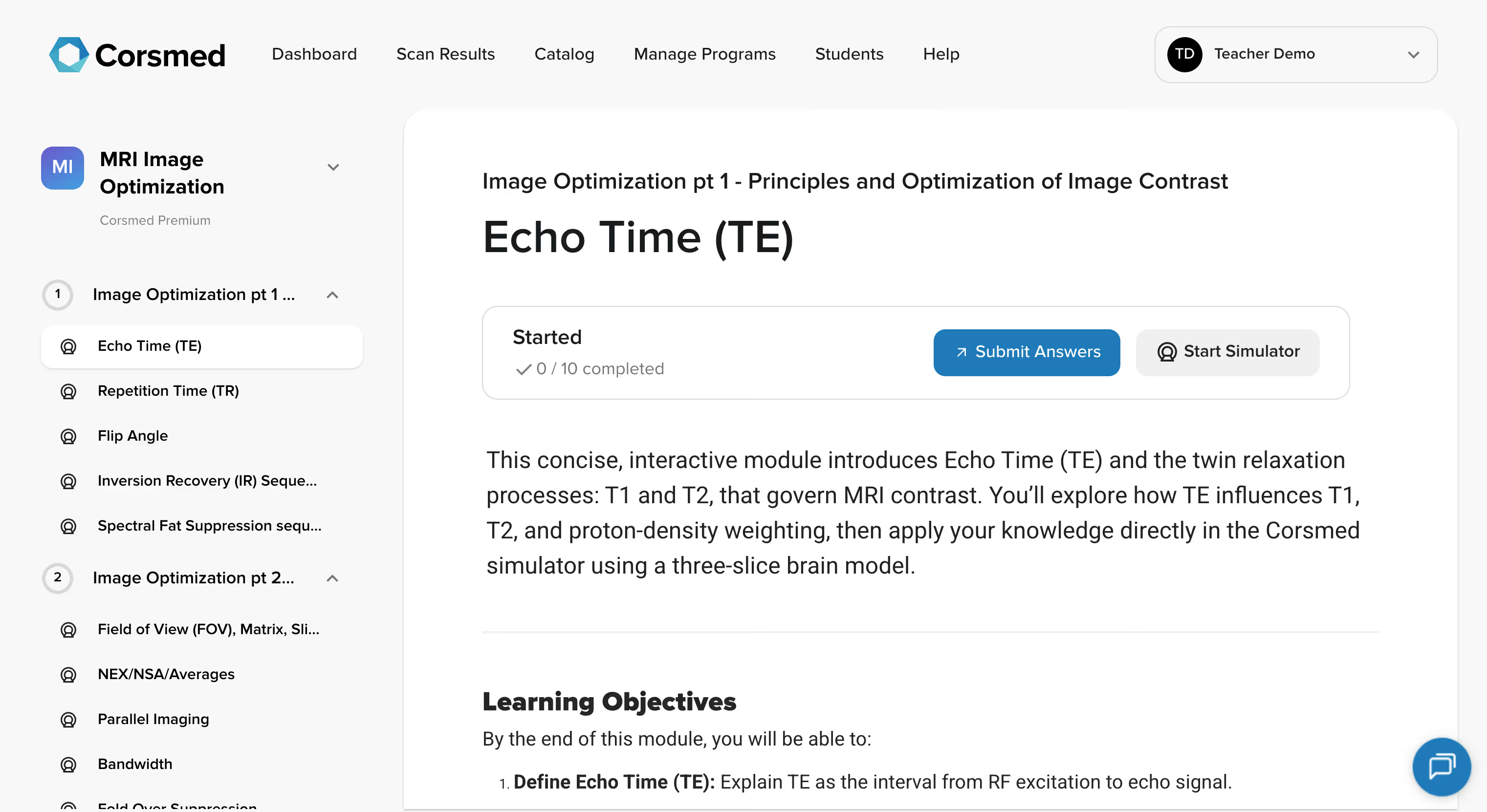
We're excited to announce a new interface update that will make it easier to view, create, and use content on the Corsmed platform.
This update is live as of today, but stays as opt-in for the time being, meaning that you can choose to use the new interface, or keeping using the old interface.
It will improve how you interact with our Platform and Learning Management System (LMS), making your learning and teaching more efficient, effective, and enjoyable.
Our platform has grown a lot. The content catalog has expanded, and more organisations and users are creating their own courses and content on Corsmed.
We want your user experience to remain user-friendly, even as the catalog and product continues to expand.
This new interface makes it easier for you to find what you need, work through the materials and content, and creating new materials.
This improved interface brings 5 improvements to your daily experience:
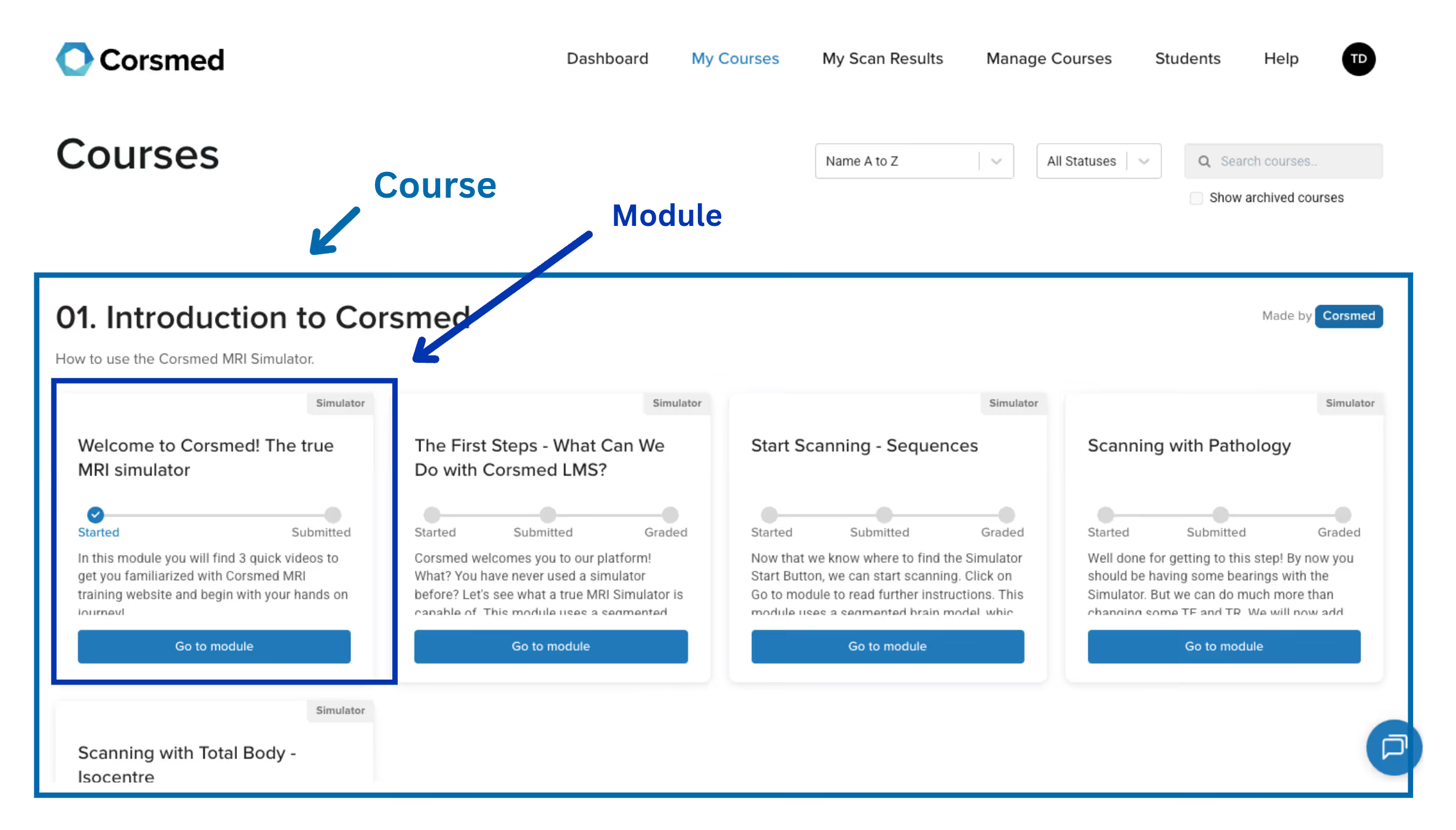
Previously, you saw all your courses and modules as tiles in one long page.
Old interface:
Now, you can navigate your courses and modules in a sidebar, which can collapse and expand the courses you are working on at the time.
New interface:
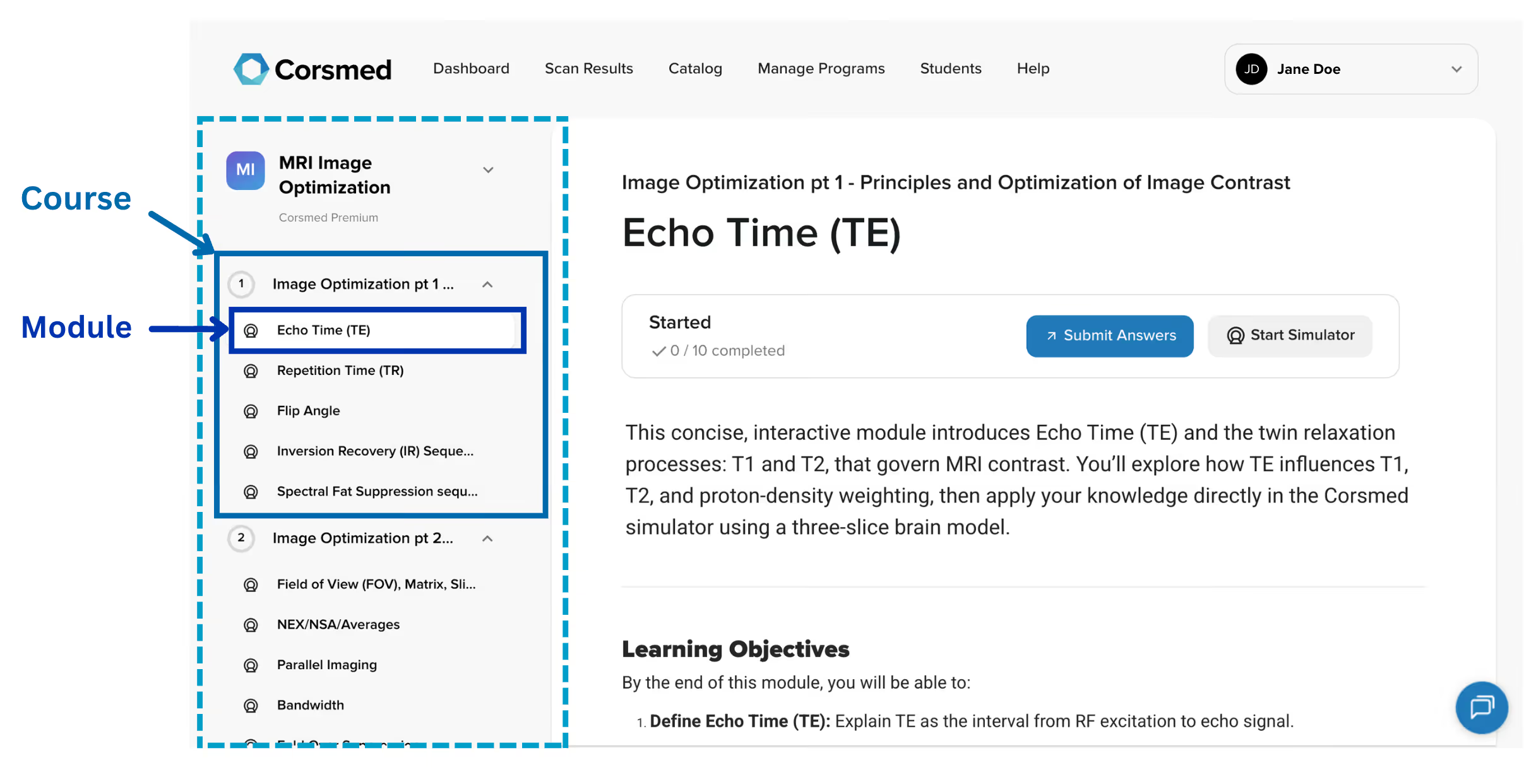
This makes it easier and quicker to get around to the content you are working on.
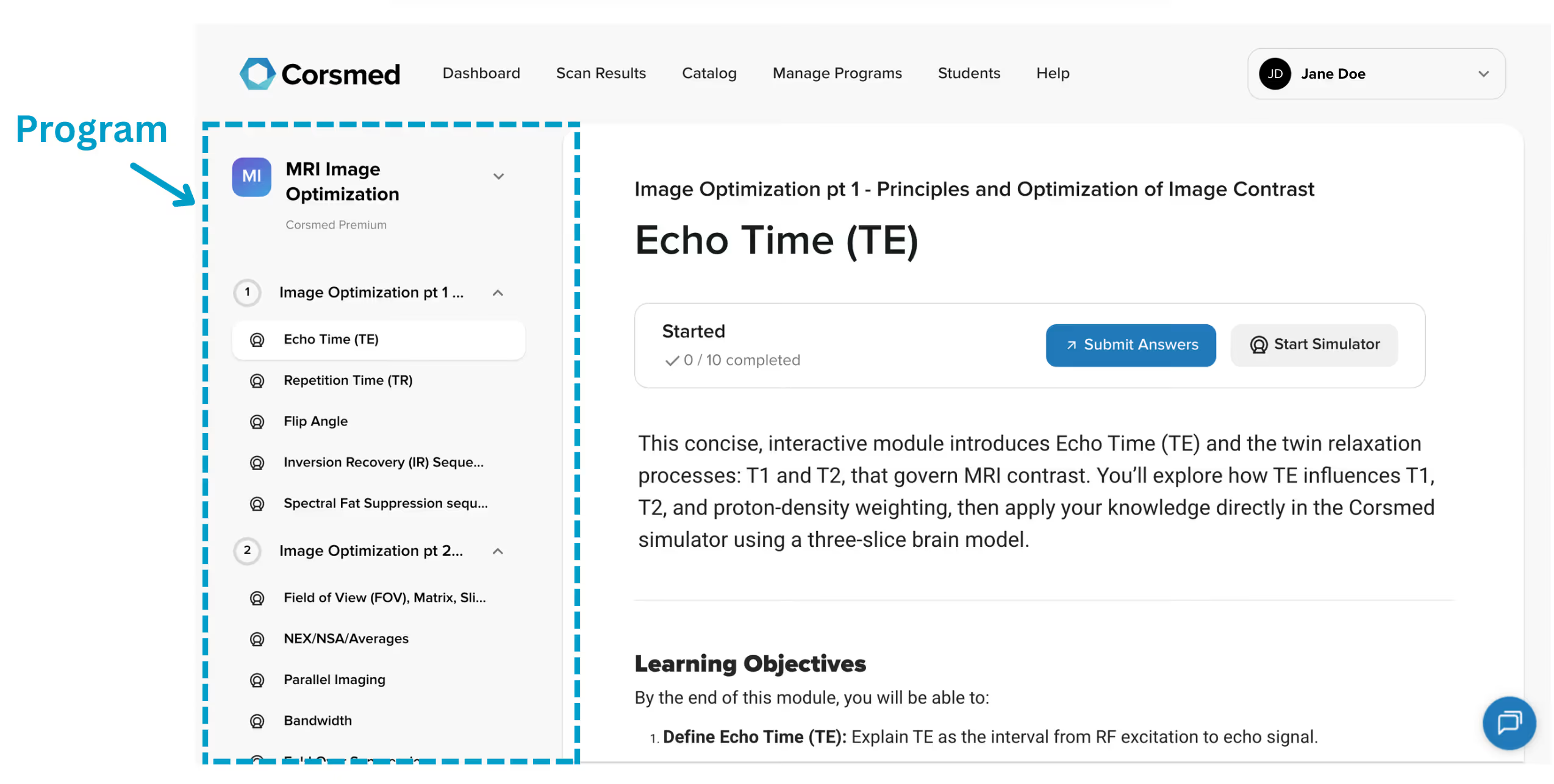
A new “Programs” container has been added to group courses together.
You can group any number of courses and modules into a program, which makes it easier and smoother to start working on a certain package of content.
The “Catalog” is a new page that contains programs with content from both Corsmed and your organisation.
Teachers can create new content and publish for their organisations. (In the image below, where it says "The MRI University Programs", you will see your own organisation name and its content).
You can also access Corsmed’s content at the bottom of the page.

The front page and dashboard have been updated to make it easier to see your progress across all the programs you are working on.
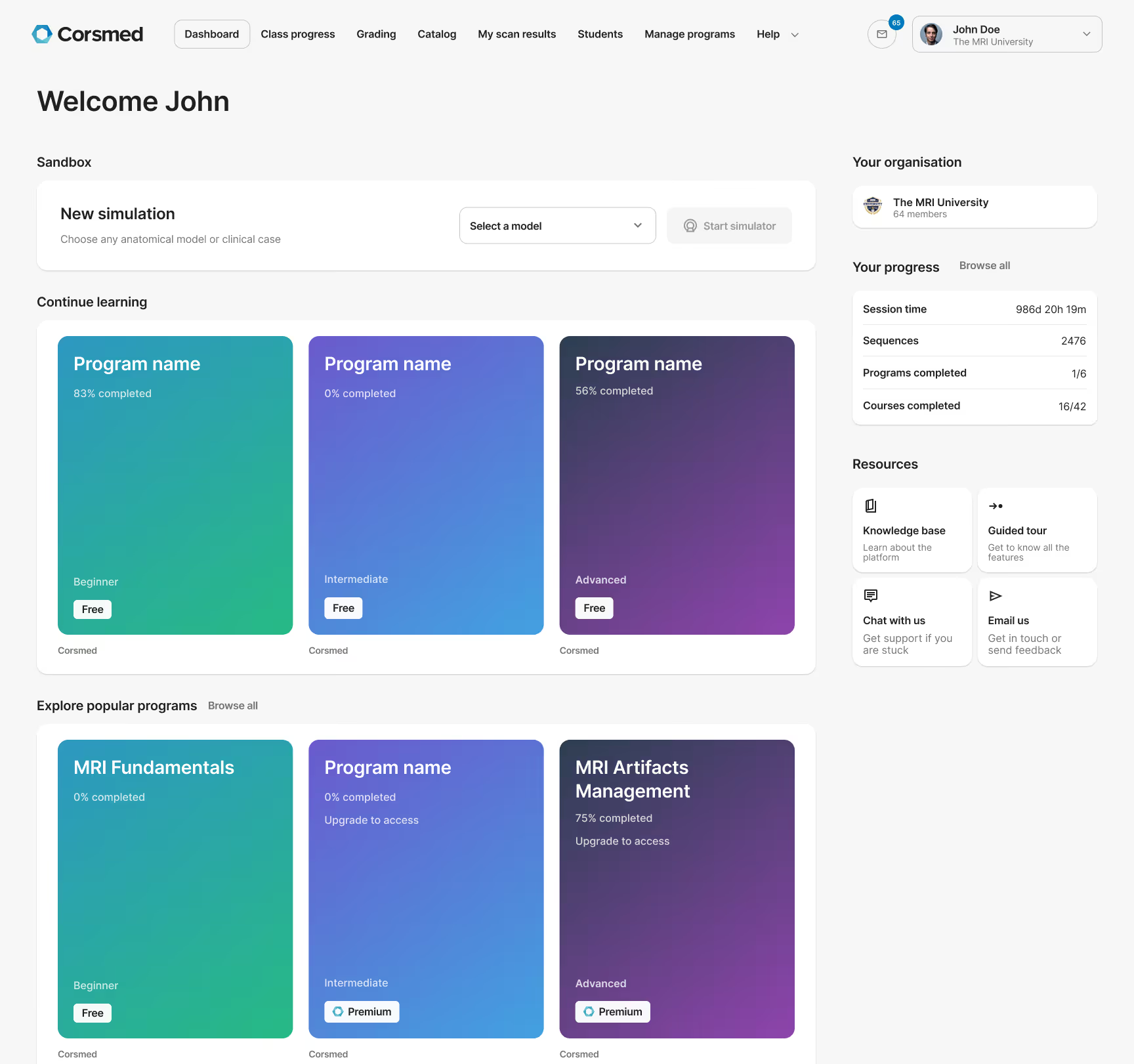
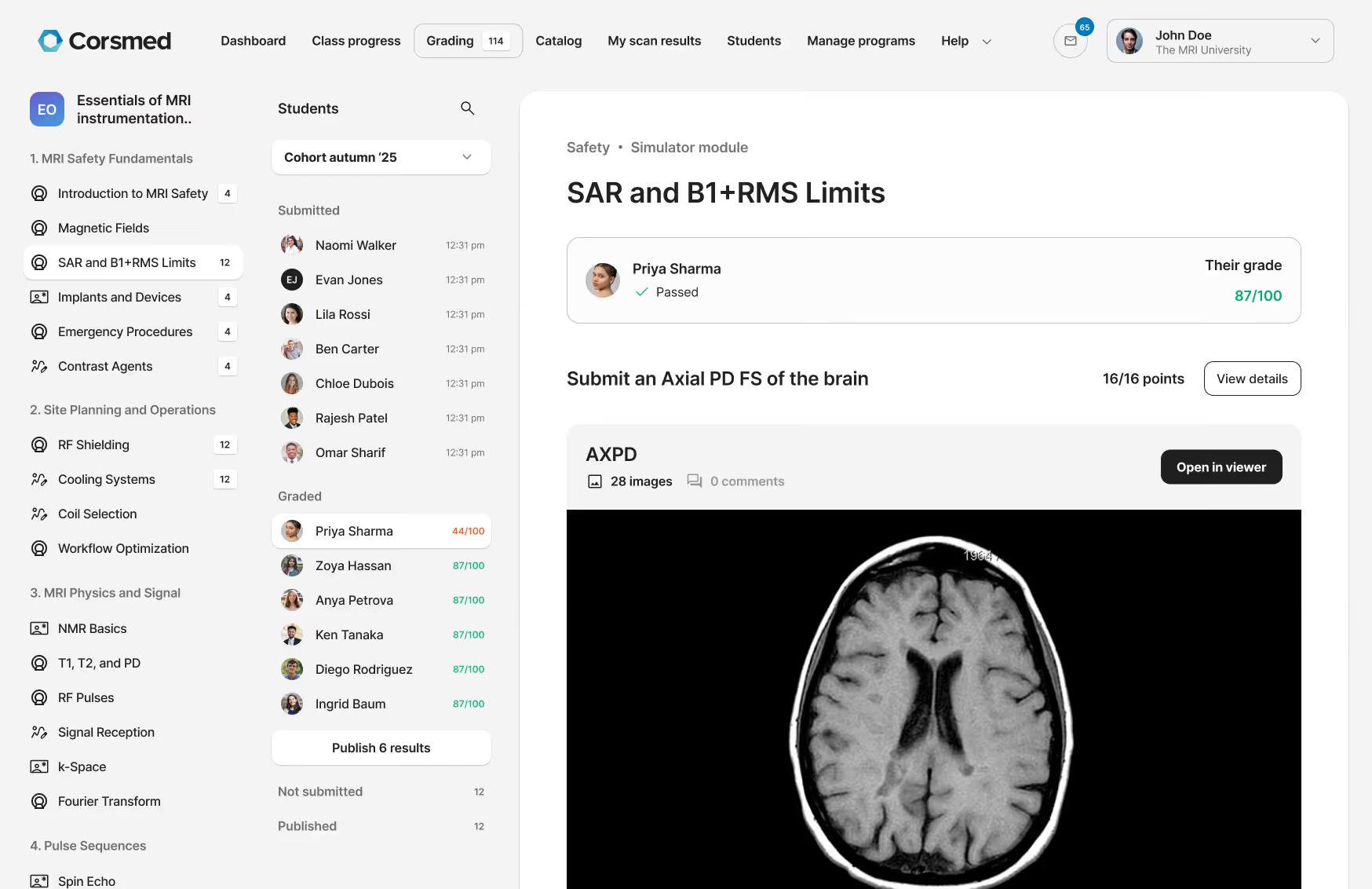
The grading pages have been improved, now making it easier to grade students and trainees.
To access the new grading pages, go to "Manage programs", hover over a program, and click "Grade students”.
You can see all student submissions for each module, neatly organized by status: Submitted, Graded, Not submitted, and Published. This makes it easy to grade and publish each submission, one at a time.
Starting today, December 9th, the improved interface is available for all users to experience.
To try it out:
No, only the learning platform gets a new interface. The simulator will stay the same.
Yes, all your data, progress, and custom content automatically transfers. Nothing is lost. Anything you do in either interface is saved in both interfaces.
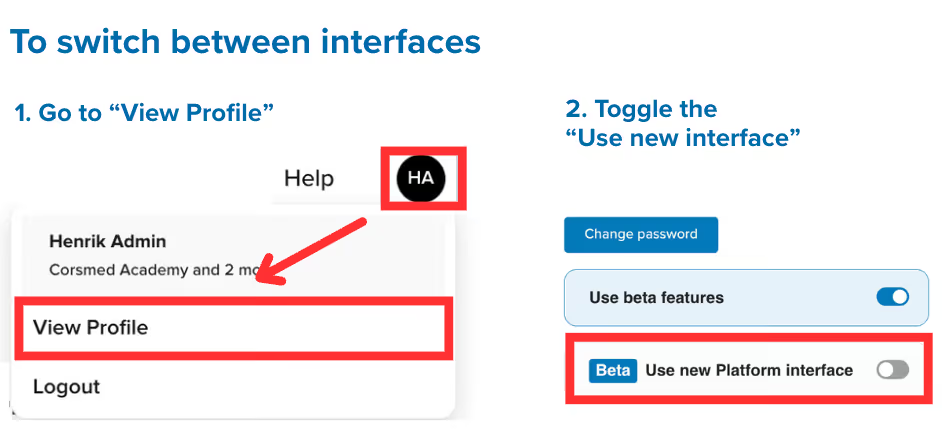
Yes. To switch interfaces:
No. All features work the same way. They're just easier to access and use.
No. Everything you can do now remains available, just with fewer clicks.
But more functionality and features are added, as described above.
Questions about the update or need support?
Contact us at support@corsmed.com or through the website chat.
We are excited to help you enjoy the better and simpler MRI training experience this new interface will bring!
Best regards,
The Corsmed Team
